
Every tab
in its place.
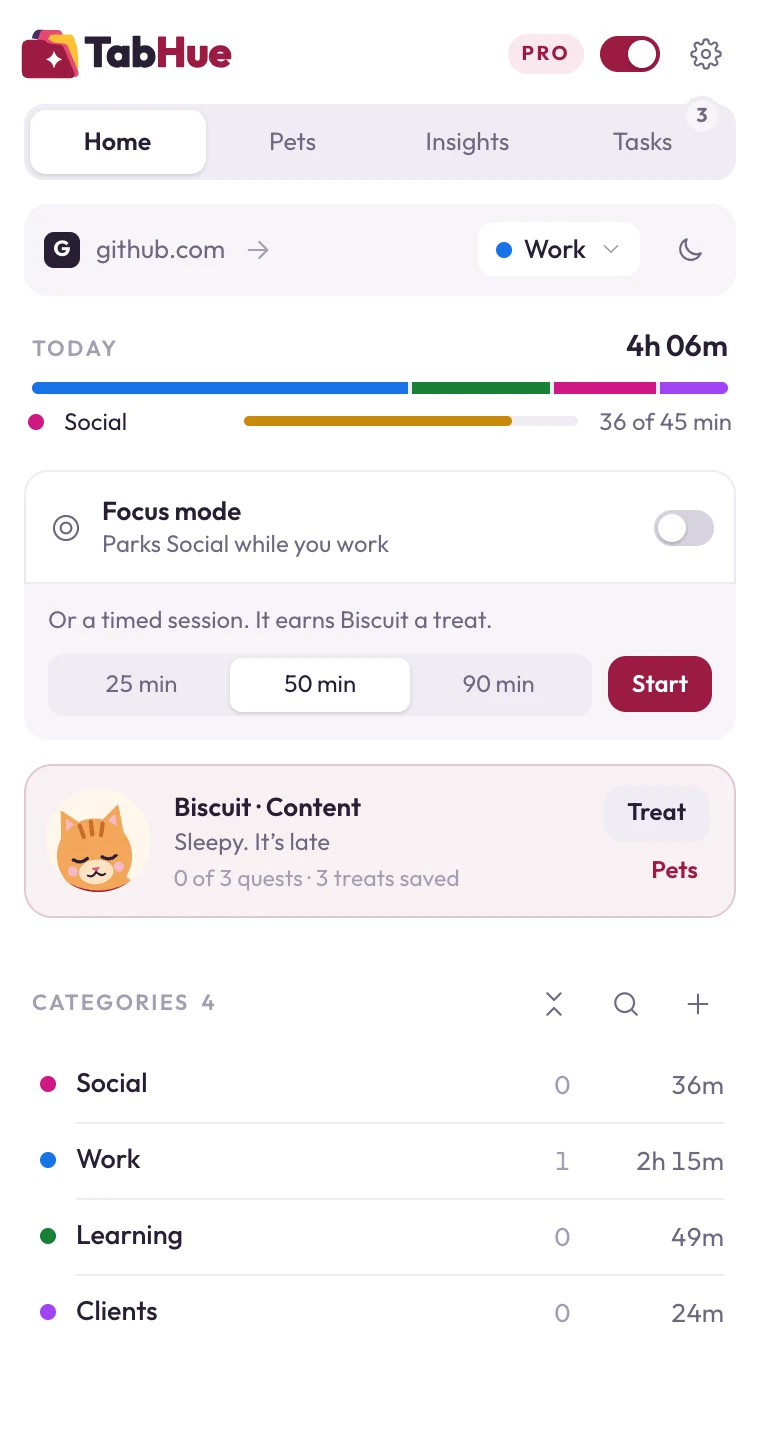
TabHue sorts your tabs into colour-coded groups automatically, protects your focus, and shows where your time goes.
- Free forever plan
- No account needed
- Your browsing stays on your device
Sorts itself
Popular sites land in the right colour-coded group the moment you open them.
Focus in one click
Park distracting tabs while you work. They come back exactly as they were.
Private by design
No account, no tracking. Everything TabHue knows stays in your browser.
How it works
Organized in under a minute.
-
01
Add TabHue to Chrome
Install it from the Chrome Web Store and pin it to your toolbar. No sign-up.
-
02
Watch your tabs sort themselves
Social, Work and Learning tabs gather into colour-coded Chrome tab groups straight away.
-
03
Make it yours
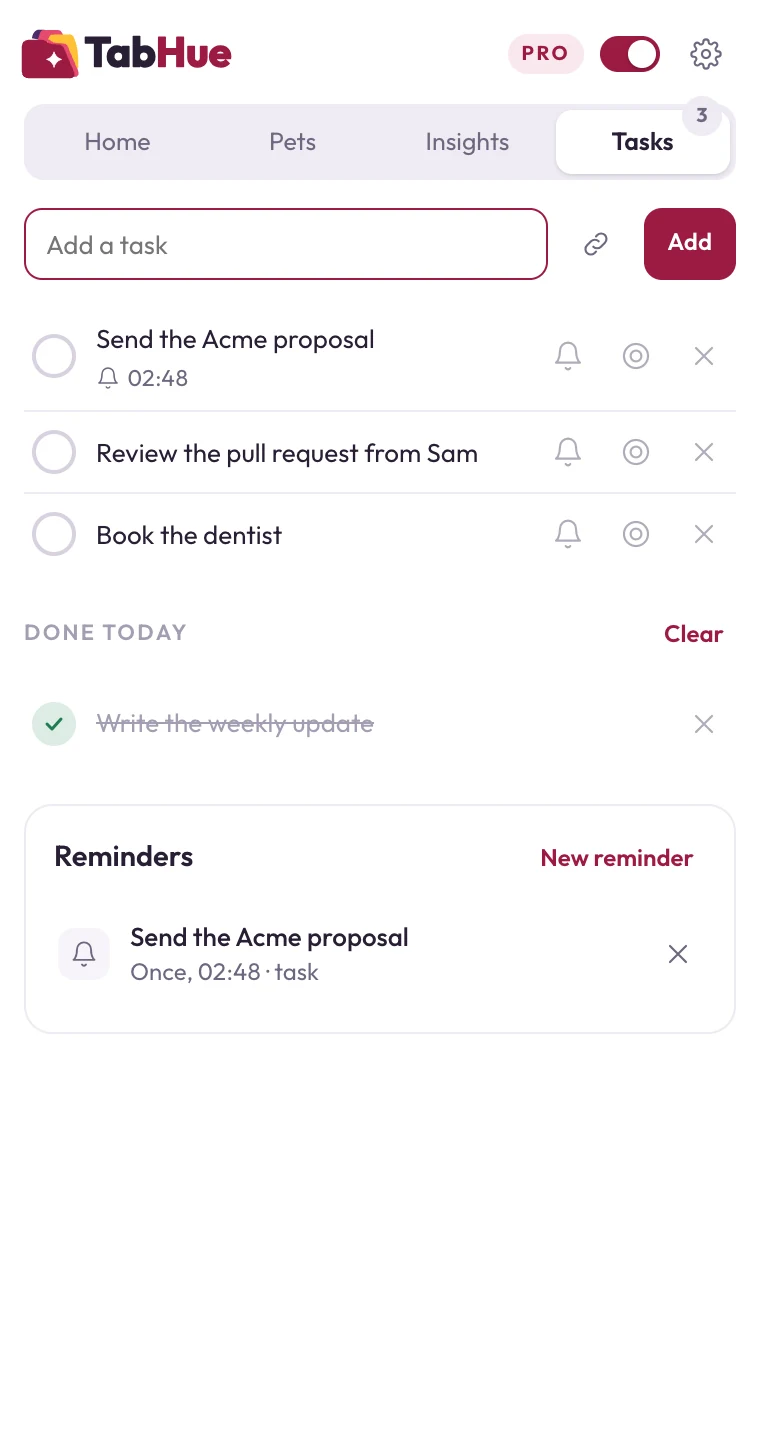
Move any tab in one click, turn on Focus mode, and check where your time went today.
One click
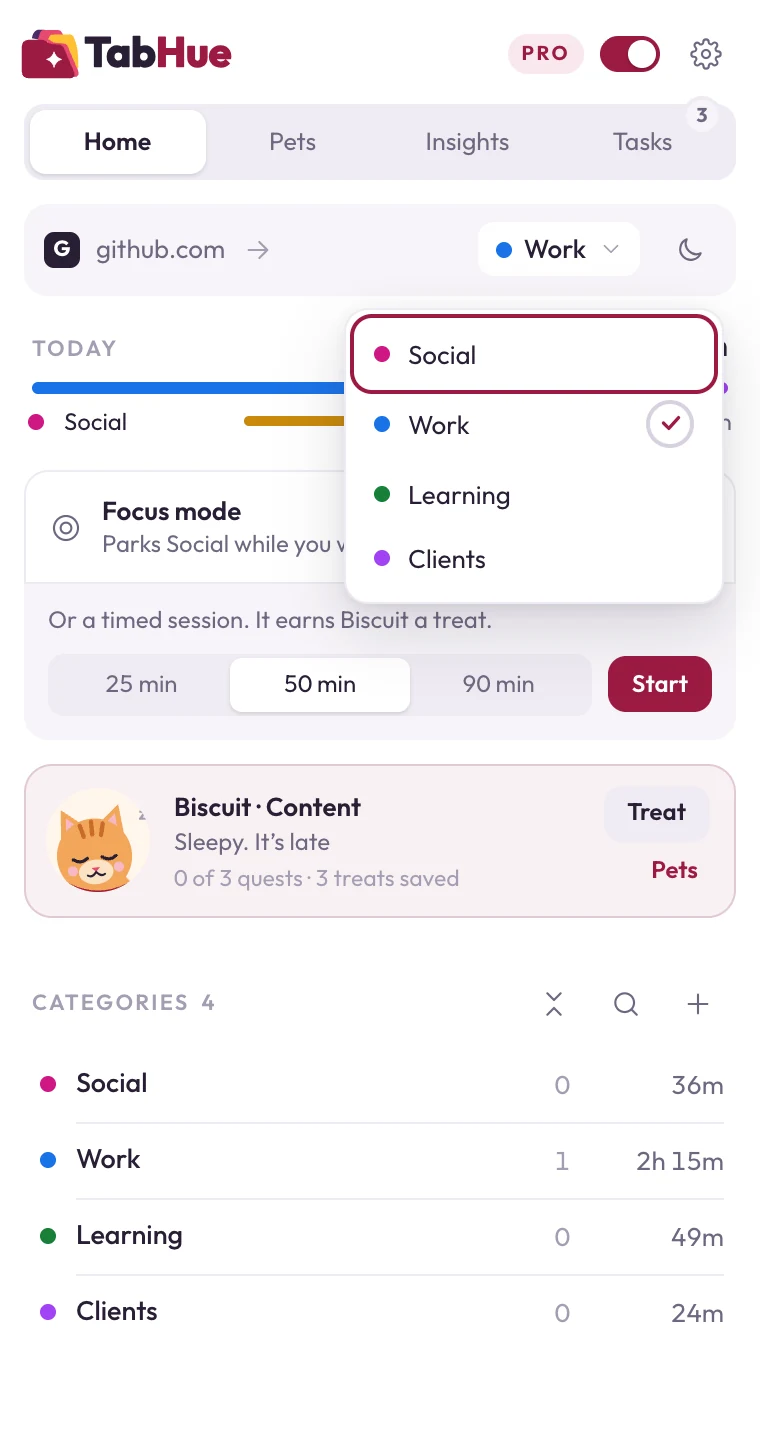
Move any tab where it belongs.
TabHue shows which category the tab you're on belongs to. Change it in one click, and it stays put, even after you restart Chrome.
- Find and close duplicate tabs, with Undo
- Collapse every other group to clear the tab strip
- Keyboard shortcuts for the things you do most
Focus mode
Park distractions.
Get them back later.
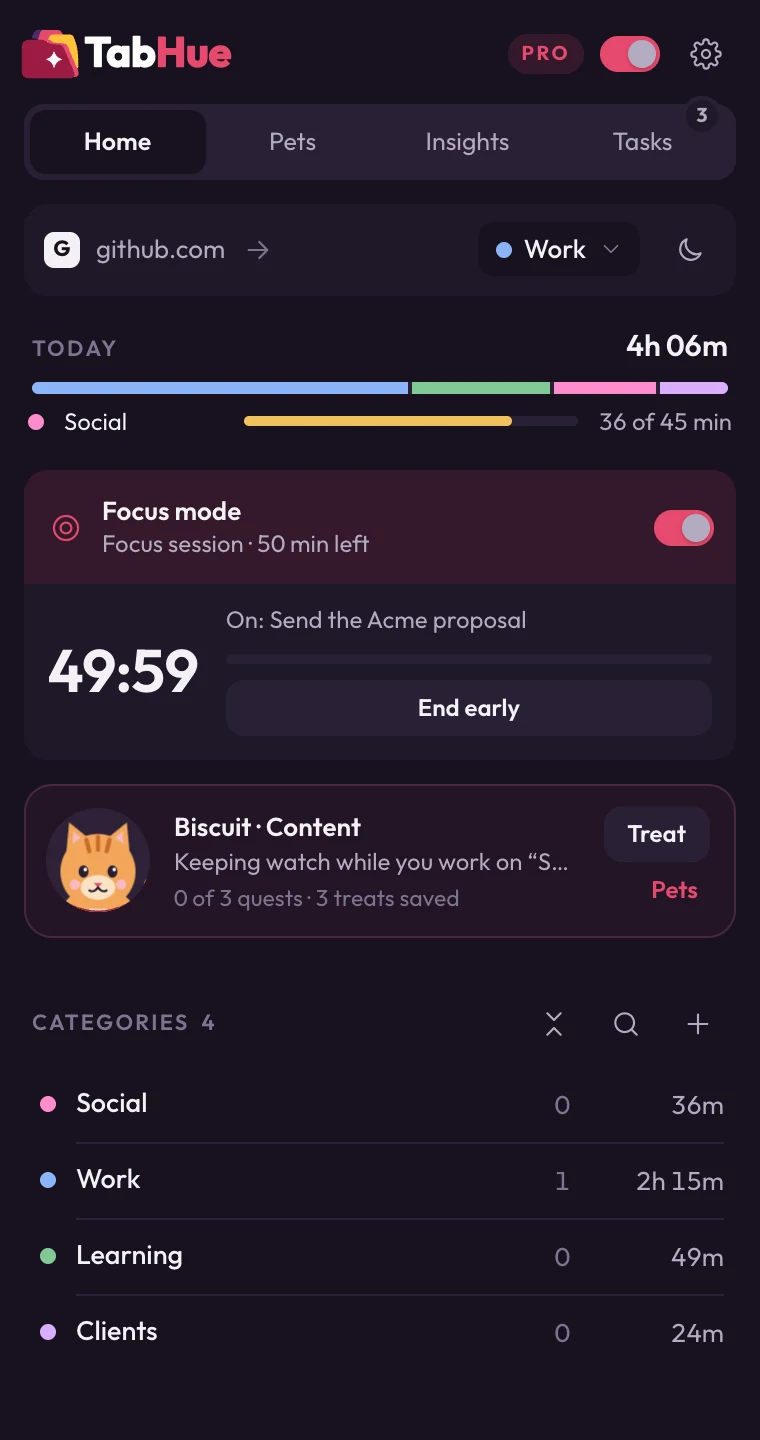
One switch closes the categories you choose and saves every tab. Turn it off and they reopen, exactly as they were. Pinned tabs are always left alone.
- Choose which categories Focus mode parks
- Mute a whole category at once
- Smart parking tidies up categories you stopped using (Pro)
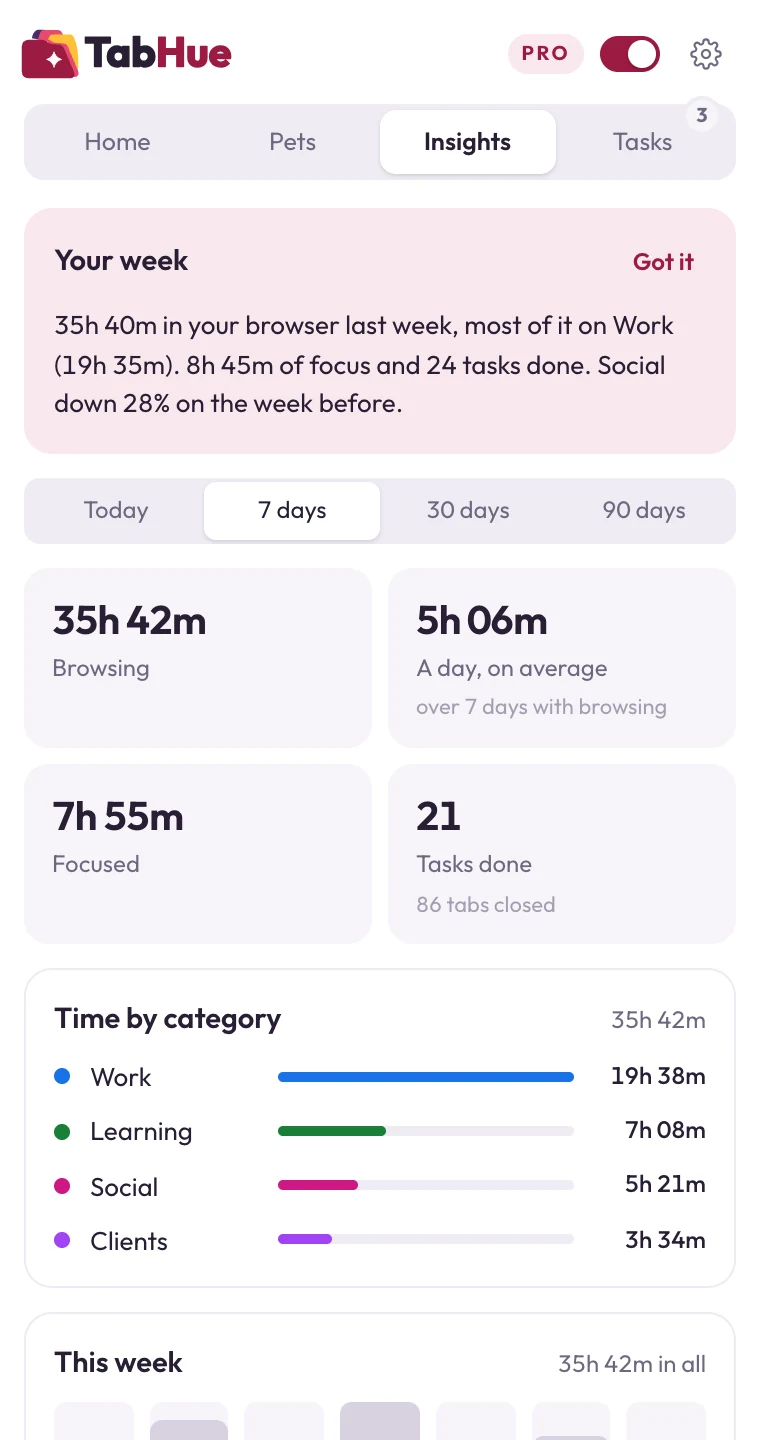
Insights
See where your time goes.
Time per category, your focus and finished tasks, today and for the last 7 days, with a short report every Monday. It only counts while you're actually browsing.
- Work
- 4h 05m
- Learning
- 58m
- Social
- 41m
Your companion
A pet that keeps your day on track.
Your pet sits beside your work. It keeps watch while you focus, brings your reminders to the page you're on, and earns treats when you finish tasks. It never makes a sound.
Meet the pets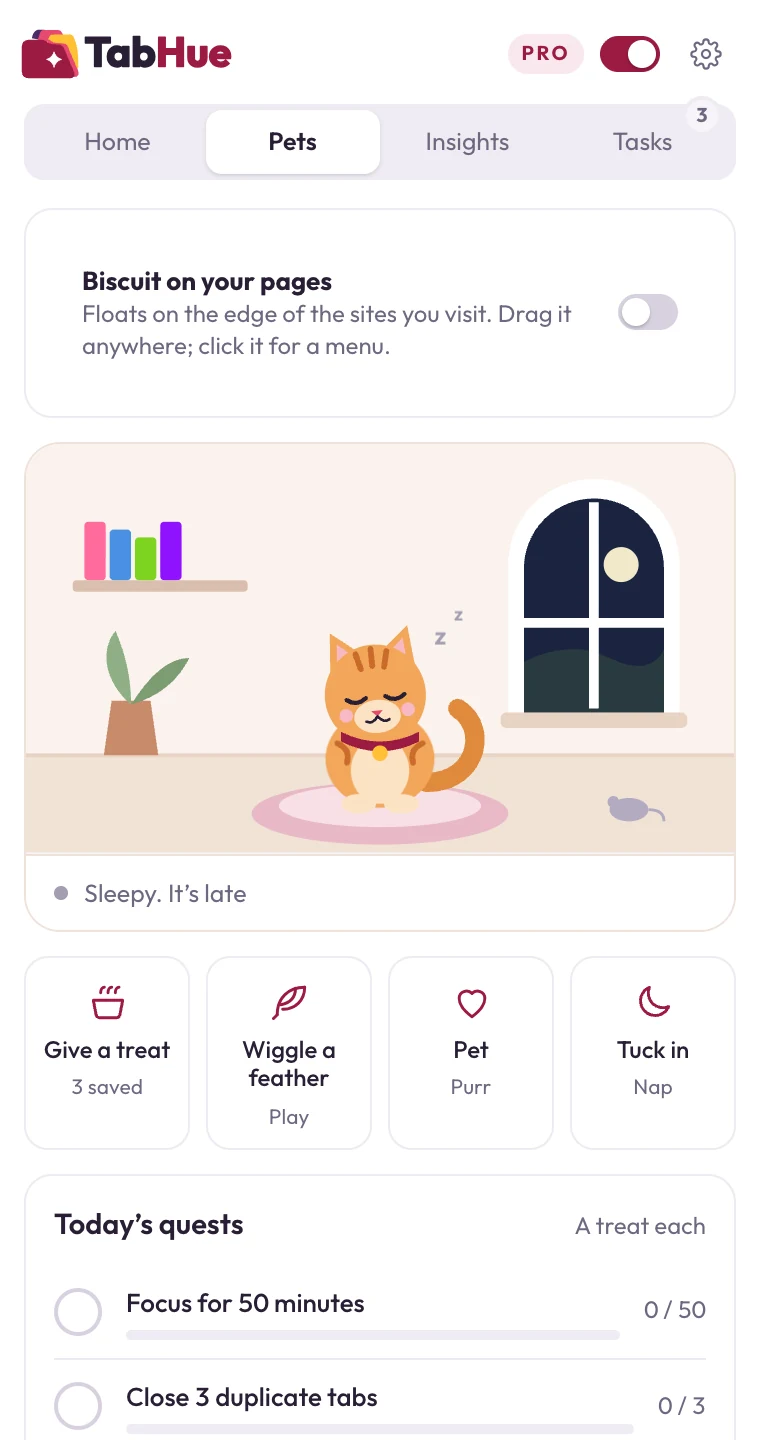

Pro
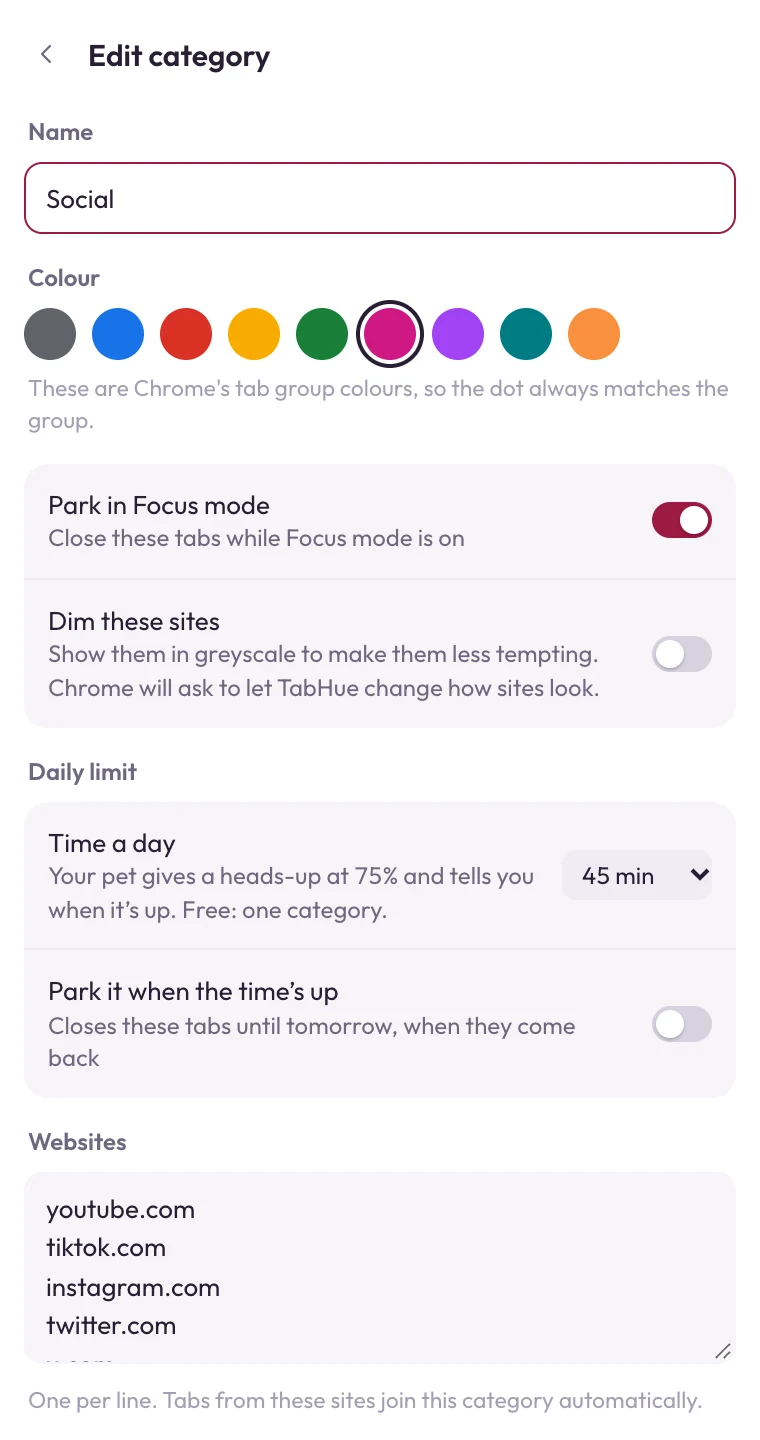
Your sites. Your colours.
Create categories for clients, projects or anything else, and list the websites that belong in each. TabHue does the sorting from then on.
- Unlimited categories and website rules
- Dim tempting sites in greyscale
- Sync through your Google account, on up to 5 devices
Private by design.
The sites you visit and the time you spend on them never leave your browser. We couldn't sell your data if we wanted to.
- No account
- Install and go. Nothing to sign up for.
- No tracking
- No analytics or advertising code in the extension.
- Minimal access
- Website access is only requested if you turn on dimming or the pet on your pages.
- Your sync, your Google account
- Pro sync uses Chrome's own sync, not our servers.
Coming this December
Meet your companion.
A little pet that lives in TabHue, reminds you about the things that matter, celebrates your focus, and gets hungry when you drift. It never makes a sound unless you ask it to.
One email when it launches. No spam, unsubscribe anytime.
Pricing
Free to start. Pro when you're ready.
Free
$0
Forever
- Automatic colour-coded groups
- Focus mode and parking
- Today view, duplicates, shortcuts
Pro
$9.99
One payment, yours for life
- Unlimited categories and website rules
- Dimming, smart parking, sync
- Pro on up to 5 devices
The launch price ends with our December update. Everyone who buys before then keeps Pro for life. Compare plans
Questions
Does TabHue work in browsers other than Chrome?
TabHue uses Chrome's own tab groups, so it works in Chrome and in Chromium-based browsers that install from the Chrome Web Store, such as Brave.
Will it mess up tab groups I made myself?
No. TabHue only manages the groups it creates for your categories. Groups you make yourself are left alone.
Does TabHue slow down my browser?
No. It is tiny, carries no ads or tracking code, and does very little in the background: it mostly wakes up when your tabs change.
What happens to parked tabs?
They are closed and their addresses are saved. Restore the category, or turn Focus mode off, and they reopen.
Can I use Pro on more than one computer?
Yes. One Pro license works on up to 5 devices, and sync keeps your categories the same on each.
Give every tab a home.
Free, private, and ready in under a minute.